Skip to content

The platform

See what learners, tutors and employers actually see.

The Learn Content Creator Toolkit runs the whole apprenticeship, from first lesson to audit pack.

The full demo opens in a new tab, with sample accounts and sample data.

60-second tour

Pick a lesson

Three real lessons from the course.

Four views, one platform

Pick a role.

The apprentice’s phone-first space: lessons, progress and their portfolio.

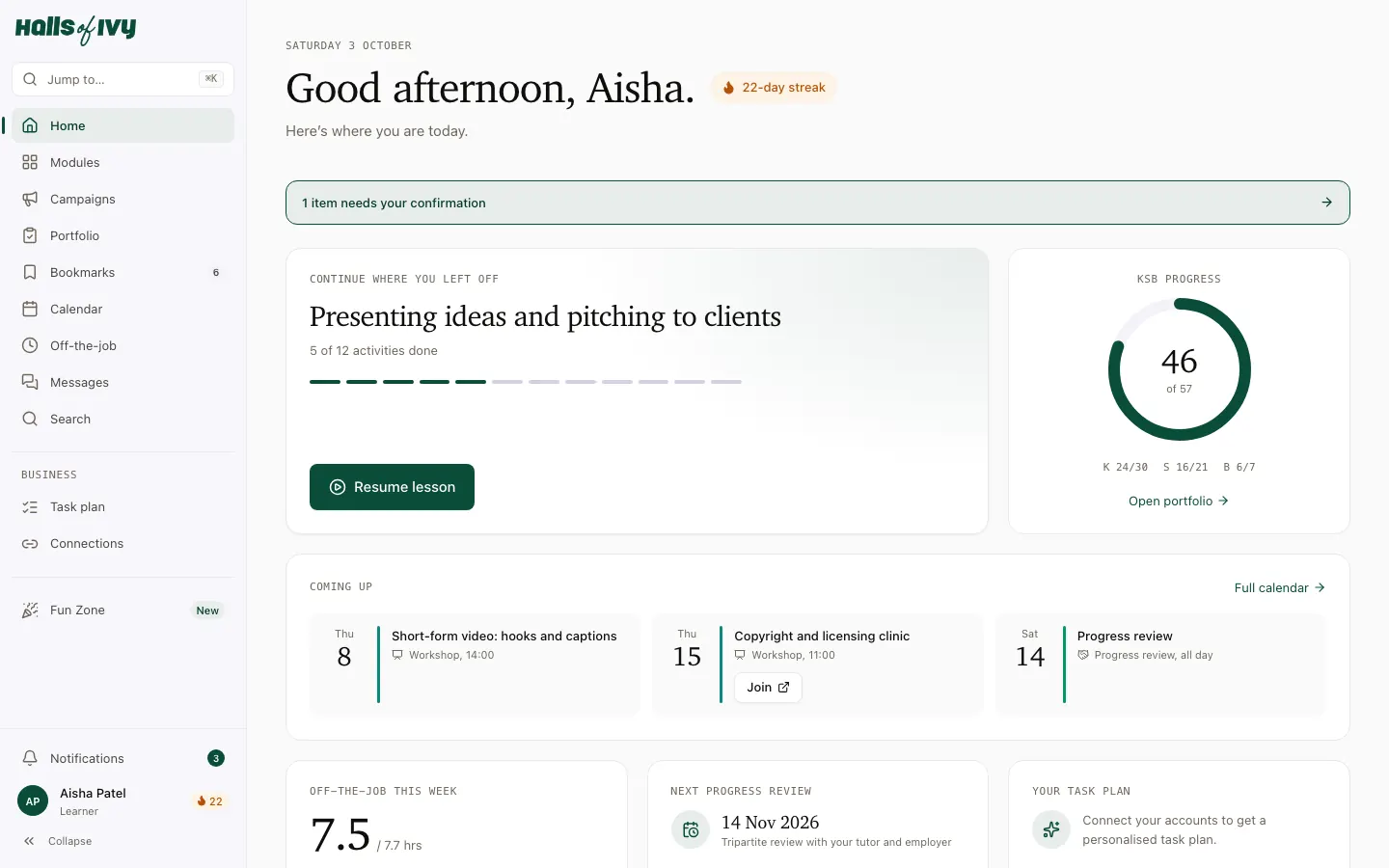
The apprentice’s home: the lesson to resume, KSB progress ring and this week’s off-the-job hours.

The apprentice’s home

Where to pick up, how many of the 57 skills are evidenced, and this week’s learning hours.

  1. Resume the lesson they were on
  2. Skills evidenced, out of 57
  3. This week’s off-the-job hours against the pace

What this unlocksApprentices always know their next step — no chasing.

Behind-the-scenes clip (10–30s) goes here
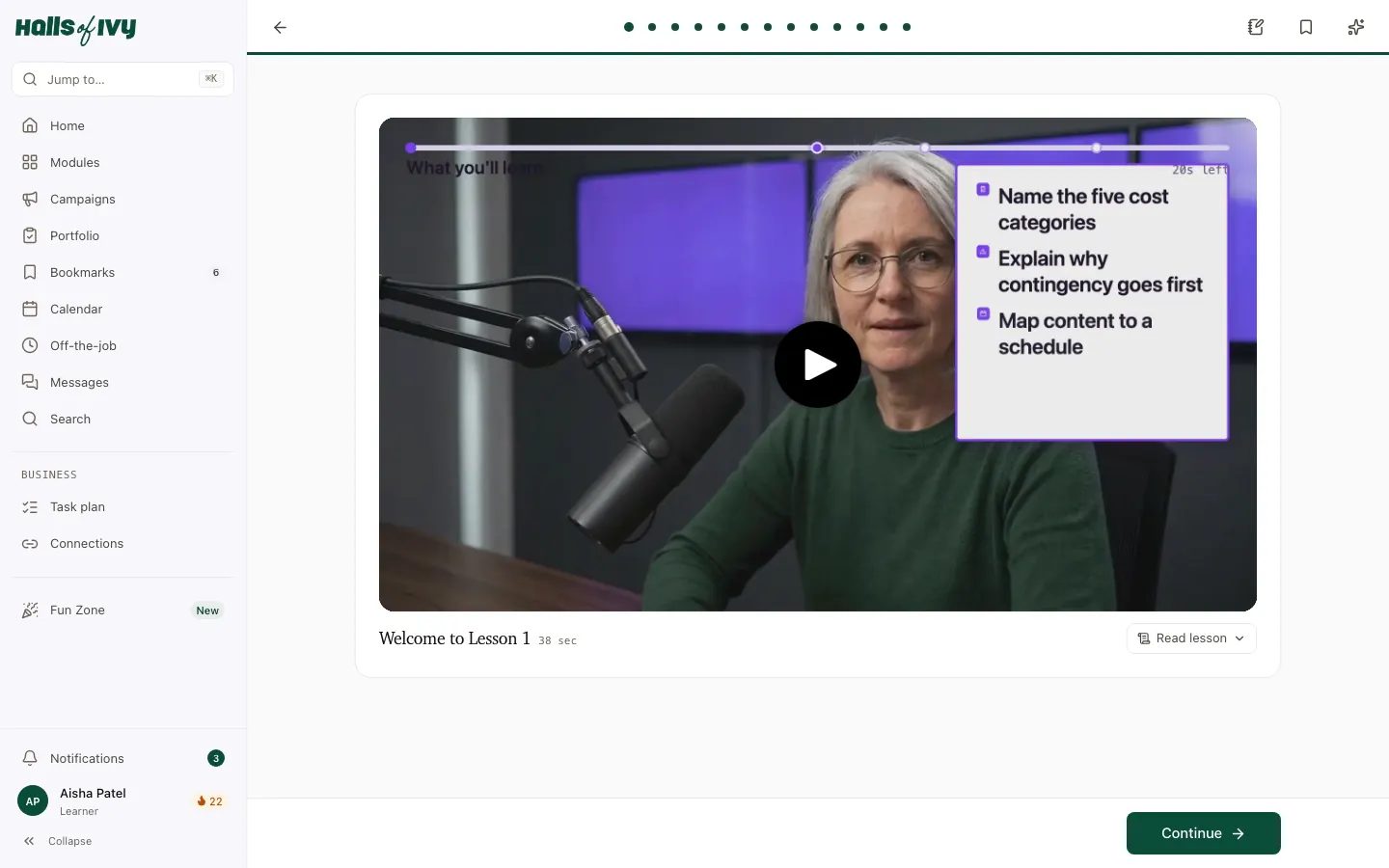
A lesson in the player: one screen at a time, with a short video and a progress line.

A lesson

One screen at a time: a short video, then a game or a task.

  1. One screen at a time, with a progress line
  2. Short videos with captions and a transcript
  3. Notes, bookmarks and the lesson helper in the top bar

What this unlocksLessons that feel like the apps they already use.

Behind-the-scenes clip (10–30s) goes here
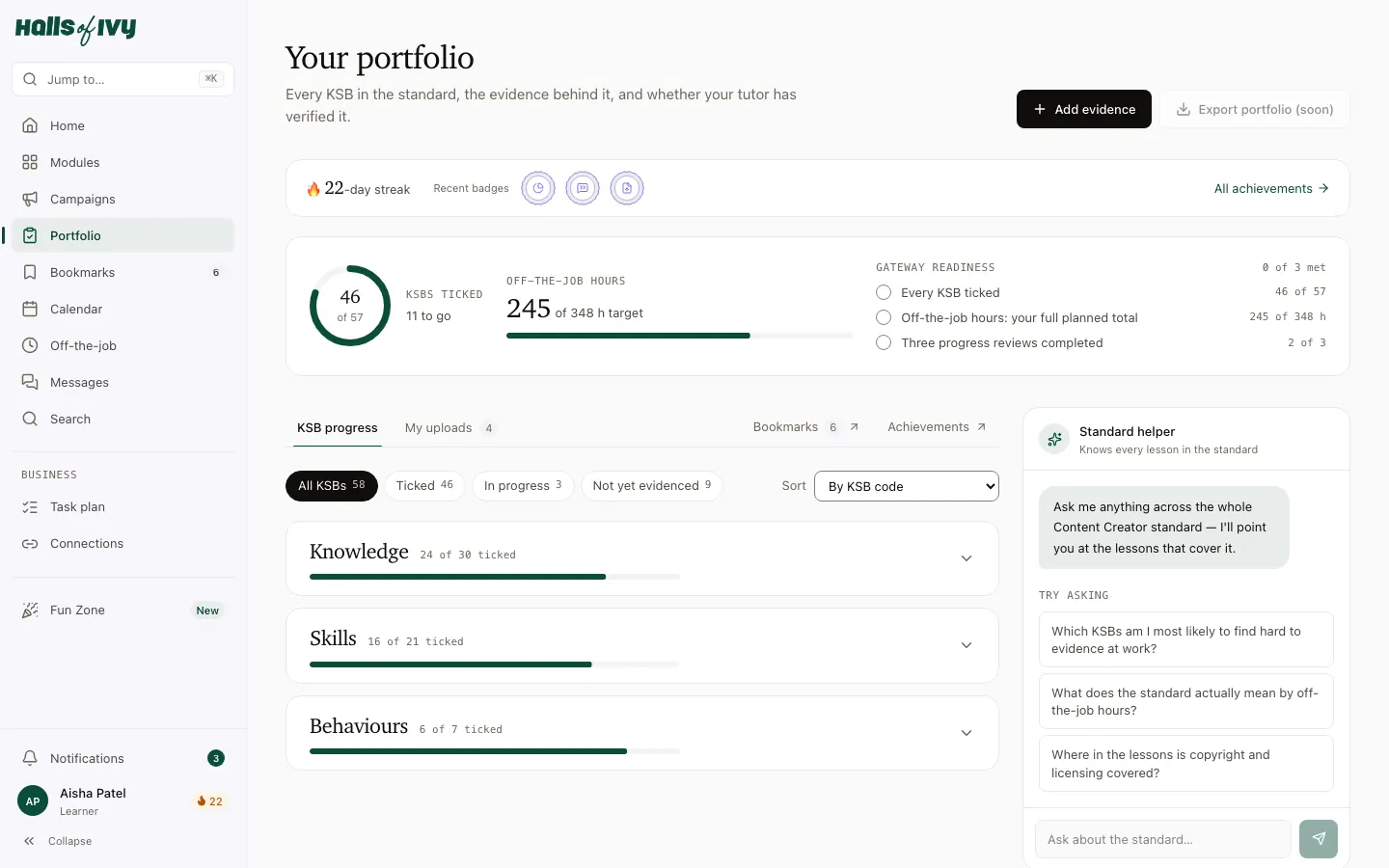
The portfolio: every KSB with the evidence behind it and whether the tutor has verified it.

The portfolio

Every skill in the standard, with the work that proves it.

  1. Every KSB in the standard
  2. The evidence behind each one
  3. Ticks only when the tutor has verified it

What this unlocksA portfolio that builds itself as they work.

Behind-the-scenes clip (10–30s) goes here

Eight things it does well

Open any of them for the detail.

  • The lesson flow

    One screen at a time: a short video, then a game or a task. Apprentices cannot skip ahead of what they have not done, and they can always pick up where they left off — on any device.

  • The portfolio

    Every one of the 57 knowledge, skills and behaviours, with the evidence behind it. Uploads are tagged to KSBs, a tutor verifies them, and the ring fills as they do.

  • Off-the-job hours

    Apprentices log their learning time from the activity the platform already knows about; tutors approve it. Weekly pace against the 348-hour minimum, with reminders.

  • Progress reviews

    Scheduled automatically every 12 weeks. A structured checklist, a review pack sent to all three people in advance, and three immutable signatures.

  • Calendar

    Workshops, one-to-ones and reviews in one place, in UK time, with reminders. Join links for online sessions.

  • Campaigns

    Real client work from brief to evaluation: research, a plan, the content, the results — each stage signed off by the tutor and mapped to KSBs.

  • Fun Zone

    Quick games — Higher or Lower, Caption Battle, Spot the Fake — that sharpen instincts. Just for fun: nothing in it counts as evidence.

  • The audit pack

    A forensic, signed PDF per apprentice: every KSB, every piece of evidence, every review and hour — ready for Ofsted, a moderator or a funding audit.

Want a walk-through?

Book a 20-minute call and we will show you the platform with your own business in mind.